
SAIDTRACE FOR MAC
Record with your device. Make notes with your AI.
Bring audio from a recorder or iPhone to your Mac and transcribe it locally. Original audio and transcripts stay on your Mac; choose the AI for notes and Ask. External AI receives only the text needed for the request.
- Transcripts and summaries by recording
- Find them later with Search and Ask
- Read-only MCP access
- Start with a monthly free allowance after launch
For Apple Silicon Macs · Purchase and download coming soon
02 / FROM AUDIO TO ARCHIVE
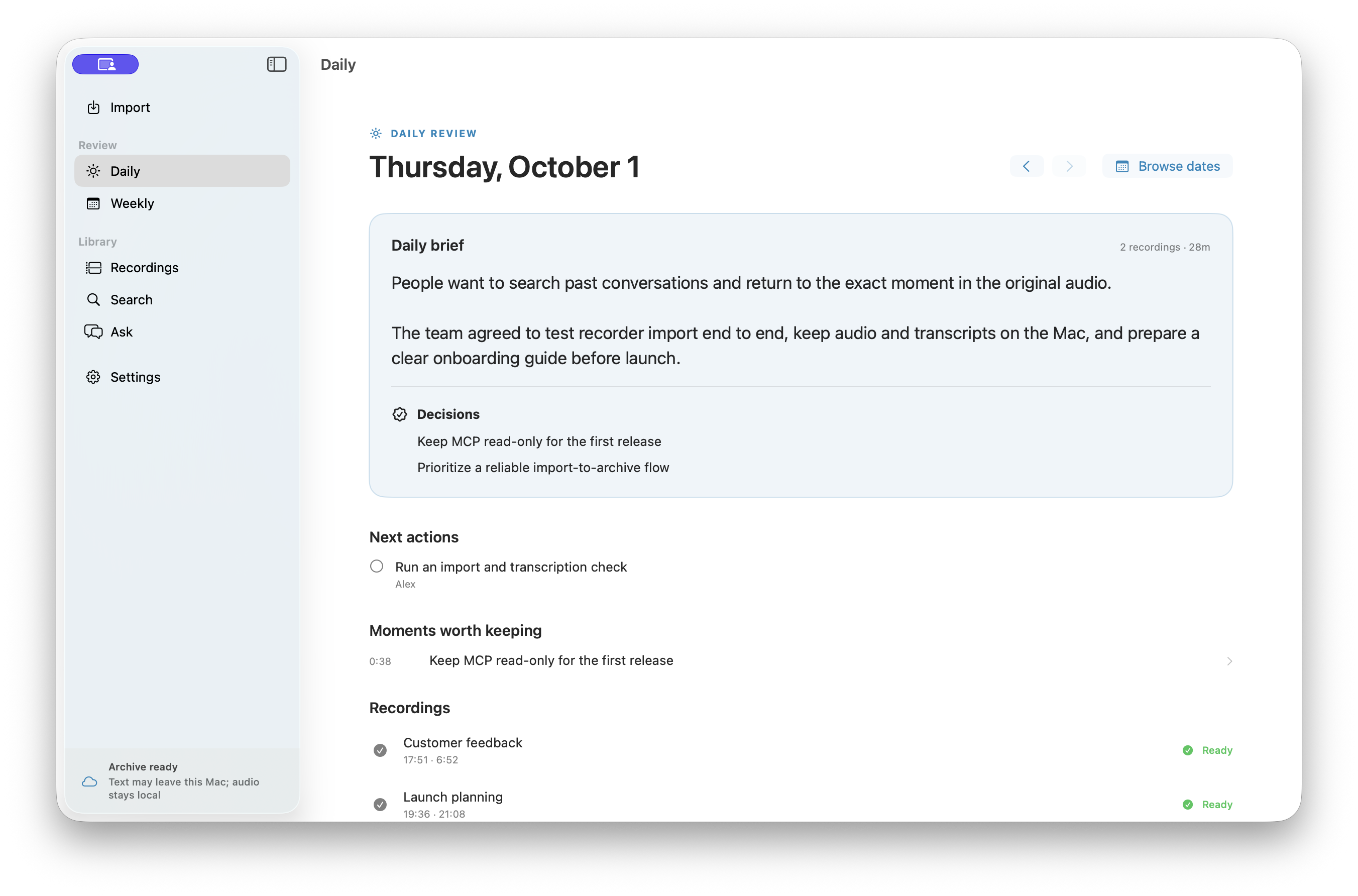
Transcribe audio. Summarize with your AI.
Connect a recorder, or AirDrop an iPhone Voice Memo. Keep the original audio, transcript, and notes together for each recording.

ONE ARCHIVE, YOUR CHOICE
Import it. Find it. Ask it.
Once approved, a compatible recorder can import new audio when connected while the app is running. Whisper detects the language and transcribes locally. Original audio, transcript, and notes stay together.
Choose the inputRecorder, iPhone .m4a via AirDrop, or a supported audio file on your Mac.
Choose the AIUse LM Studio / Ollama locally, or send the required text to an external model you select.
03 / DATA BOUNDARY
Recordings stay on your Mac.
Your original audio stays off our cloud, and transcription runs on your Mac. Choose local or external AI for notes and Ask.
Audio, transcripts, search index
Audio is stored on your Mac, Whisper transcribes locally, and the search index stays local too.
Notes and chat
LM Studio and Ollama run locally. If you choose Codex CLI or OpenRouter, the text needed for that request goes to the external provider.
Export and MCP
Export Markdown or JSON, and use your archive through a read-only MCP interface.
04 / SIMPLE PRICING
Your device. Just $3 a month.
Purchase and download are coming soon. After launch, start with a recorder or iPhone you already own. SaidTrace does not charge by the minute; fees from an external AI provider you choose are separate.
These are planned launch prices; purchases are not available yet. The free allowance renews monthly per account. Paid plans have no import or summary count limit. Hardware and external AI charges are separate.
THE COST TO KEEP RECORDING
The device and the cost of staying with it.
A comparison of paid plans for frequent recording. Capture methods, processing locations, and features are not identical.
Scroll sideways to compare →
| Product and plan | Device, upfront | Monthly billing | Annual billing |
|---|---|---|---|
| SaidTraceRecorder, iPhone, or audio files you already own | $0If you use a device you own | $3Lowest among plans shown | $18 |
| Plaud NotePin SUnlimited · up to 24 hours/day | $179 | $29.99 | ≈$240$19.99/month × 12 |
| Omi pendantUnlimited | $129Sale price · normally $179 | $29 | $269 |
| Fieldy 3Unlimited | $129Sale price · normally $179 | $19.99 | ≈$192$15.99/month × 12 |
05 / MCP · READ ONLY
Search your archive from your AI tools.
Connect an MCP client to search recording titles and notes. It receives matching text and a recording ID; use that ID to retrieve the transcript. Your AI can use those results to answer a question.
Read-only: no audio bytes are returned. A cloud AI client may send the text it reads to its service.codex mcp add saidtrace -- npx -y @saidtrace/mcp-serverRequires the SaidTrace Mac app and Node.js. npm package ↗ Codex
Codex Claude Code
 Cursor
Choose an AI client. Connect SaidTrace once.
SaidTrace MCP reads your local recording index and notes
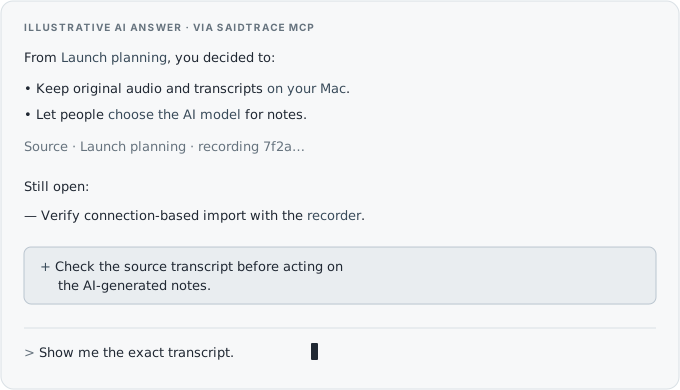
Example only. MCP returns read-only text; the connected AI writes the answer shown here.
Connection checks · 2026-10-03 · synthetic data
- Codex CLI / Cursor IDESearch tool invoked successfully
- Claude CodeMCP connected; CLI sign-in and search call pending
- ChatGPTNot connected; HTTPS route not yet tested
The app also provides a Codex setup command. Cursor and Claude Code need client-side setup. These checks do not establish compatibility with a real archive or distributed app.
SAIDTRACE / FOR MAC